
Capture, edit and share your screenshots in the blink of an eye
The lightweight macOS screenshot editor that opens instantly when you take a screenshot.
Download for macOS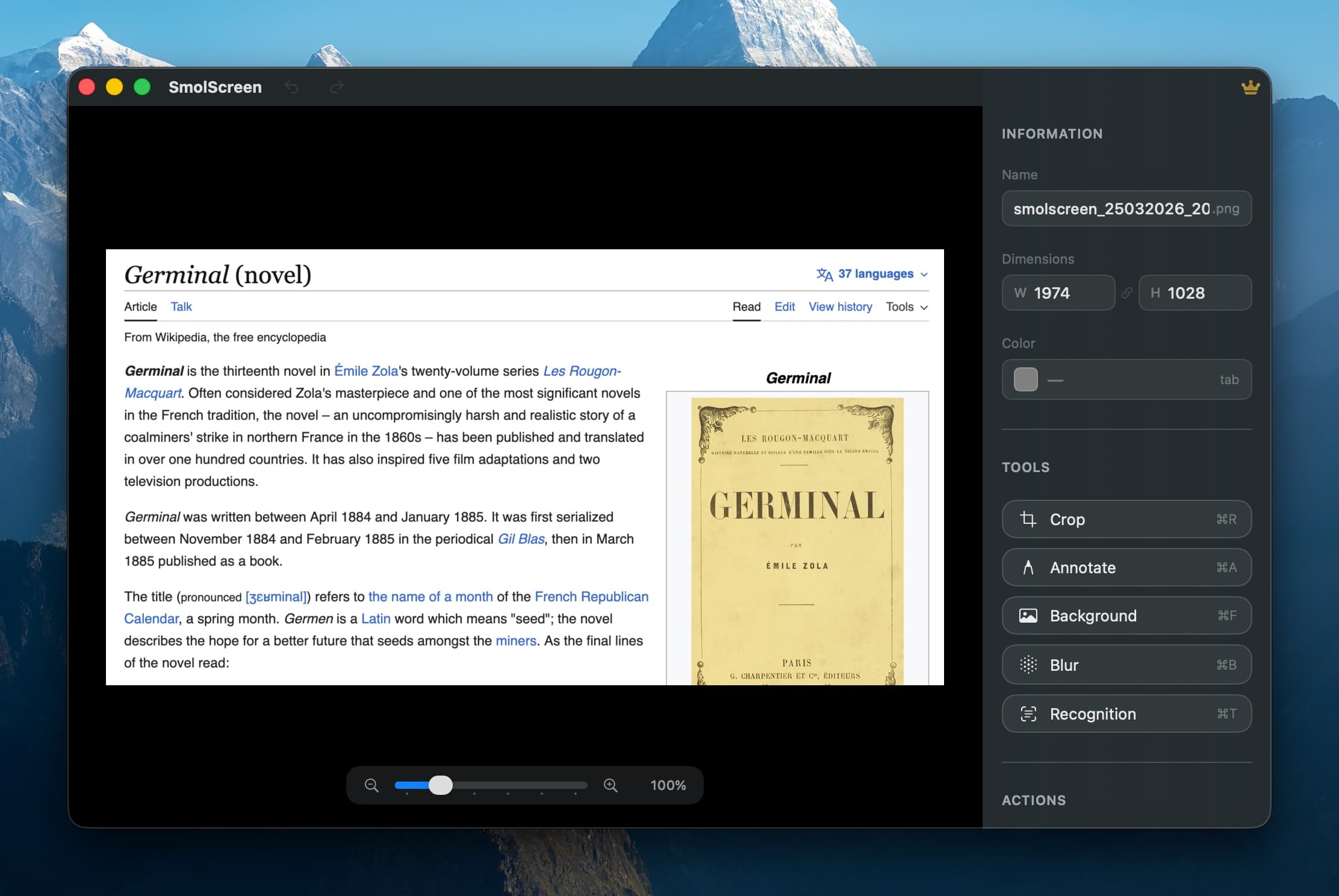
Built for speed
SmolScreen detects your screenshots automatically and opens the editor in a flash.
Automatic detection
SmolScreen watches for new screenshots and opens the editor instantly. No extra steps needed.
Customizable shortcuts
Assign your own keyboard shortcuts for capture, save, clipboard, and every editing tool.
Instant editor
The editing window appears immediately. No loading screens, no waiting.
Powerful editing tools
Everything you need to refine your screenshots, nothing you don't.
Full annotation
Freehand drawing, multiple arrow styles, rectangles, and customizable text with font and size options.
Blur & masking
Gaussian blur, mosaic pixelation, or solid black rectangle to hide sensitive content.
Text recognition
Extract text from any screenshot in one click.
Precise crop
Crop your screenshots with an interactive overlay and precise control.
Resize & zoom
Zoom from 50% to 300% for pixel-perfect work. Resize with aspect ratio lock.
Elegant backgrounds
Polished gradients for a professional look or use your desktop wallpaper.
Color picker
Hover to sample any pixel and copy its hex value instantly.
Copy & delete
Copy to clipboard and delete the original file in a single gesture.
Undo & Redo
Full undo/redo history for every modification.
Ready to level up your screenshots?
Download SmolScreen for free and start editing in seconds.